
If you are having difficulties with a setup inside GTM, please share your preview URL with us:
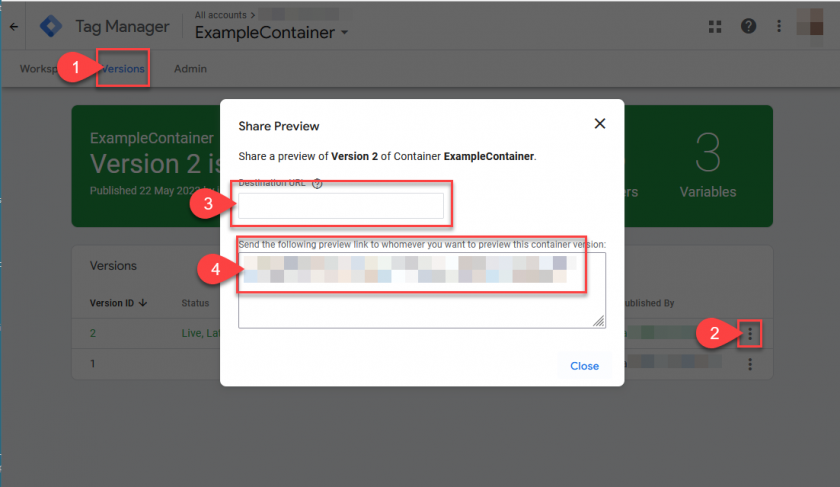
How to share a preview version:
Open navigation
In the top navigation of your workspace, click on Versions.Select version
Find the version you want to share and click More actions → Share preview.Enter domain
In the Share preview dialog box, enter the domain of your target website
(e.g.https://example.com/).Copy preview URL
Copy the generated preview URL from the displayed field.-
Share preview URL
Paste the copied URL into a message and send it to a colleague.The preview URL allows the user to connect to your website in preview mode.
The Tag Assistant debugging interface will be displayed.
You can find the full preview help section here:
https://support.google.com/tagmanager/answer/6107056?hl=en